
Replace the paper slip and the tracker sheet.
Stoppage logs, defect reports, maintenance requests, shift handovers and kaizen ideas: build the form, the record list and the approval in the same project as the board that reports on them.
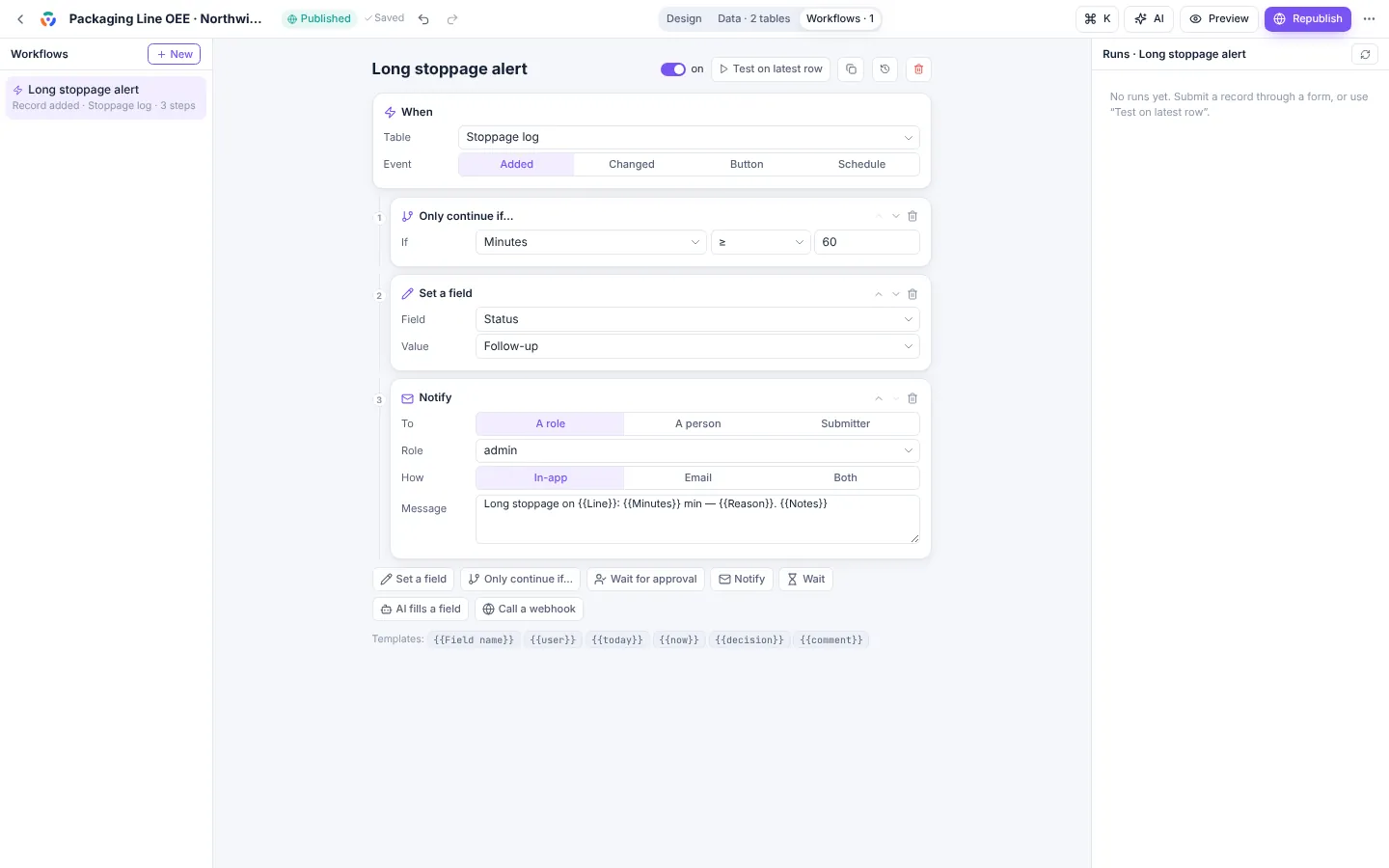
A workflow you can read out loud.
Workflows run when a record is added or changed, when someone presses a button, or on a schedule. Each step is a plain sentence. This one is the long-stoppage alert from the Packaging Line OEE demo, with an AI step added.
- WhenA stoppage is loggedTable: Stoppage log, record added
- Only continue ifMinutes is 60 or moreShorter stops end here
- Set a fieldStatus becomes Follow-upThe record shows in the follow-up list
- AI fills a fieldLikely cause from the notesMechanical, electrical, material, changeover
- NotifyThe maintenance headInbox and e-mail: “Long stoppage on RS-2, 85 min, filler jam”
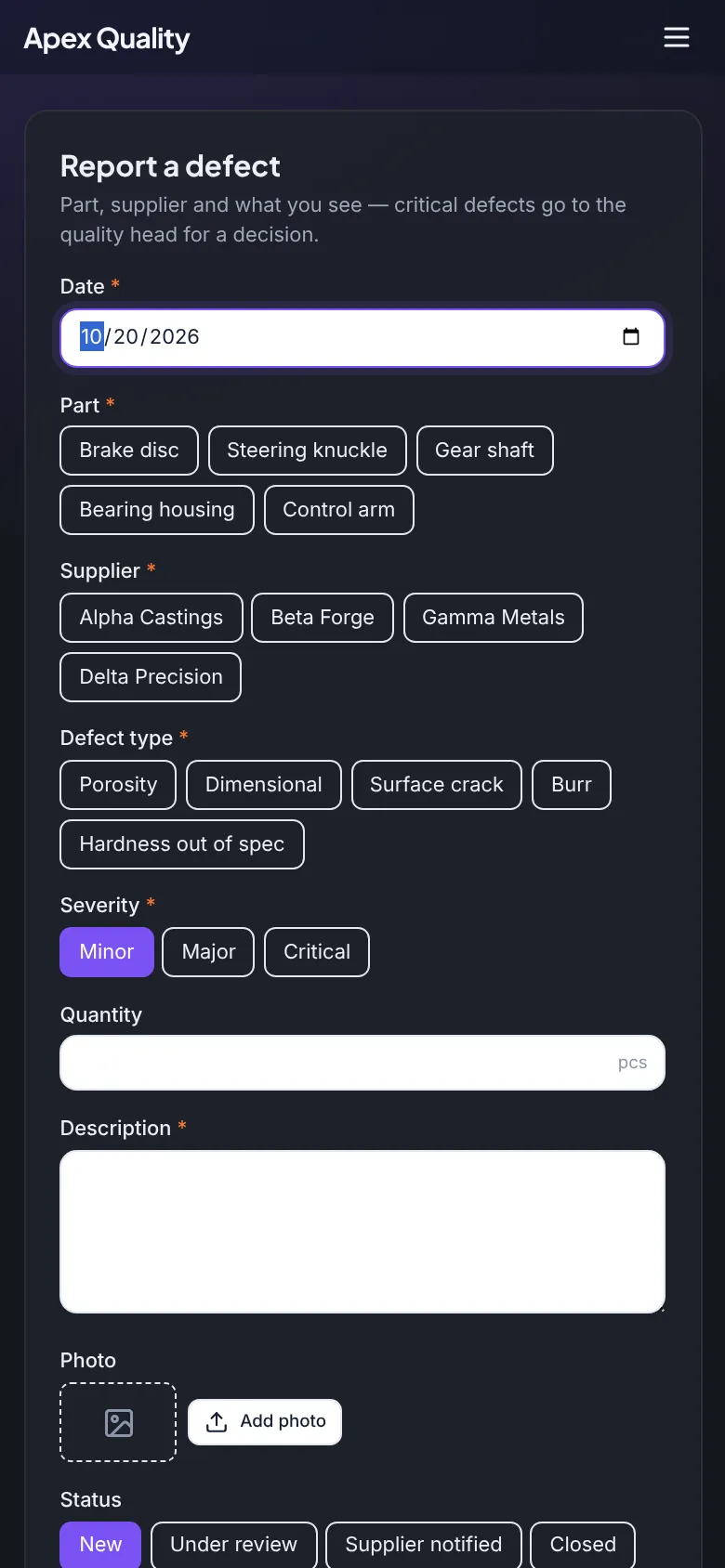
Forms built for gloves and bad Wi-Fi days.
Big choice chips, sensible defaults and only the fields that matter for this case.
Field types
Text, long text, numbers, dates, choices, multiple choice, yes/no, people, photos and files.
Rules
Required, show only if, number limits, text length, formats such as e-mail, phone or a part-number pattern.
Fill from a photo
AI reads a photo or scan of a paper form, label or invoice into the fields.
Anyone or signed-in
Forms can be open to visitors, like a website enquiry form, or limited to your people.
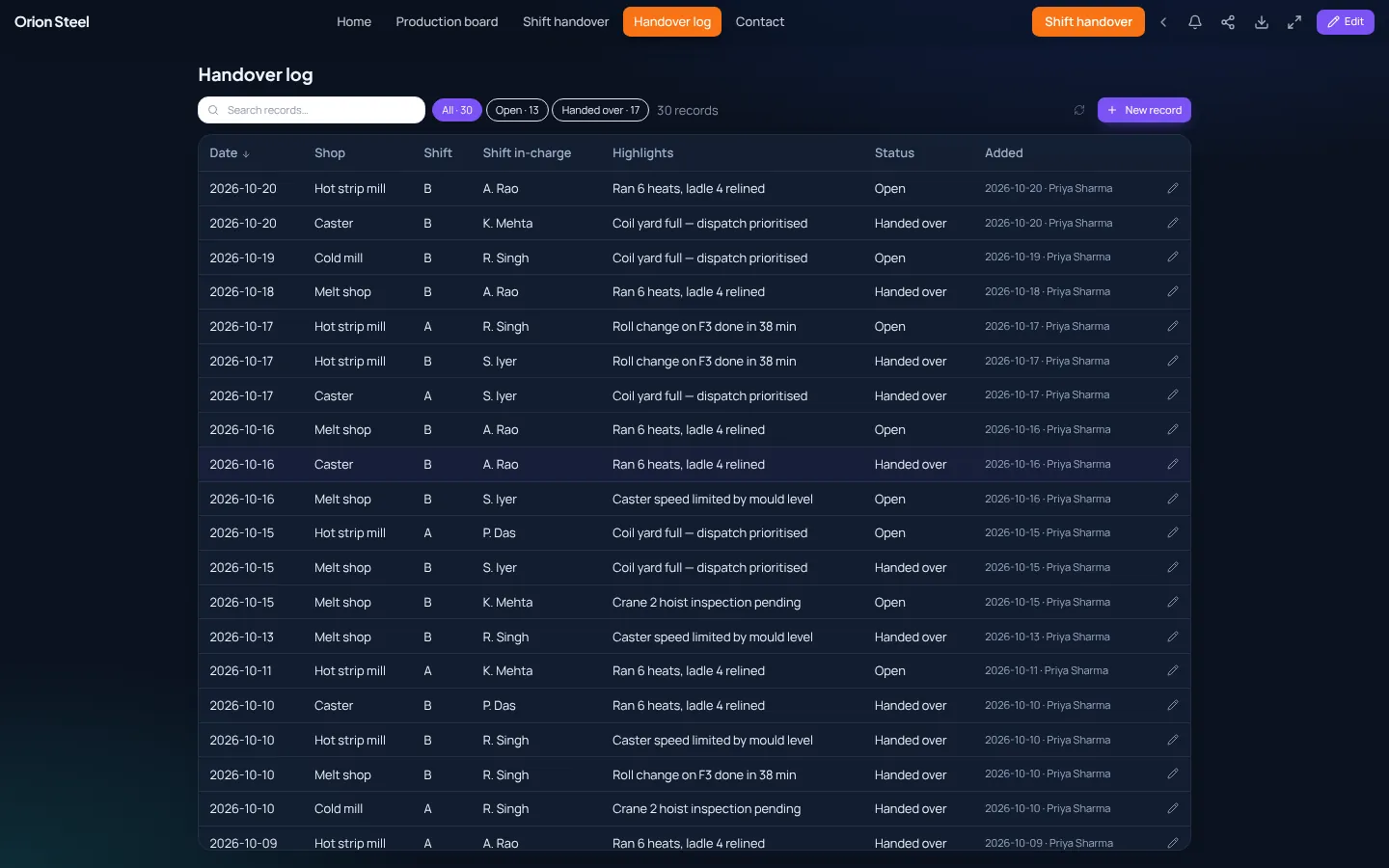
Records the office can work through.
Every submission lands in a records page: searchable, filterable by status, with a detail panel, comments and history. The same table feeds every chart.
- Status chips with counts: Open, Handed over, Closed.
- Comments notify the submitter and earlier commenters.
- Bulk import from Excel, export to CSV.
Every step a workflow can take.
Set a field
Fill in a status, owner or due date, with templates such as the submitter’s name or today’s date.
Only continue if
Compare any field: equals, greater than, contains, empty.
Approval
Ask a person or a role to approve or reject with a comment; the run waits for the answer.
Notify
In-app inbox, e-mail or both, to a person, a role or the submitter.
Wait
Pause for minutes, hours or days, then check again and escalate if nothing changed.
AI and webhooks
Let AI fill a field, or call another system such as your CMMS or ERP.
Schedules run every 15 minutes up to weekly, in your plant’s time zone. Failed runs can be retried; workflows keep named versions.
Start from a template.
Each comes with the table, form, records page, workflow and a dashboard. Change anything.
Maintenance requests
Requests from the floor, a work queue, critical requests to the maintenance head at once, days to close by category.
Safety incident reporting
Near misses and incidents with severity and photos, an investigation flow and trend by area.
Kaizen idea review
Ideas from anyone, a review and approval step, savings tracked once implemented.
Try it on your own numbers today.
Upload a shift report and see your first board in minutes. When you are ready, Oneview installs in your datacenter or your own cloud, under one perpetual licence.
What the free trial includes
- 5 demo plant apps to explore and edit
- 1 project of your own, from Excel or a blank canvas
- 40 AI requests a day
No card, no install. Sign in with Google or Microsoft, or an e-mail address.